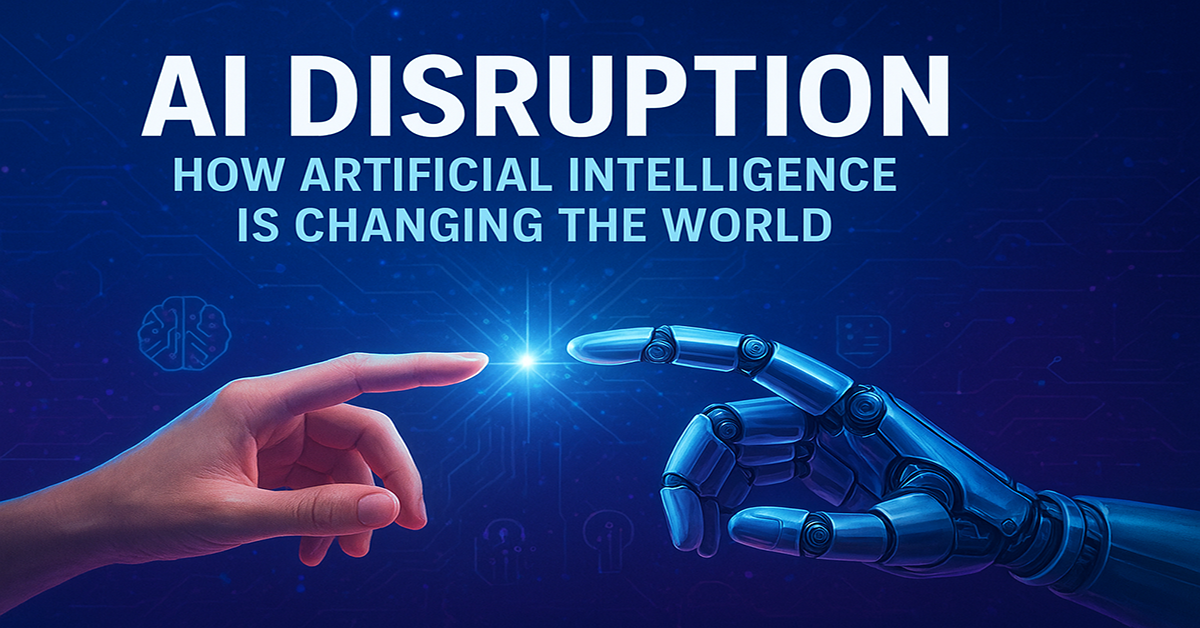
AI Disruption: How Artificial Intelligence Is Changing the World

Human And Robot Convergence
Share on social media:
Human And Robot Convergence

Artificial Intelligence (AI) has moved far beyond science fiction. Today, it writes articles, diagnoses medical scans, answers customer questions, drives cars, and even creates art. This rapid progress is what many call AI disruptionโ€”a massive shift in how people work, how businesses compete, and how societies function.


What does โ€œAI disruptionโ€ mean?

โ€œDisruptionโ€ happens when a new technology changes the way things have always been done. Just as electricity replaced candles or smartphones replaced landlines, AI is transforming jobs, industries, and even everyday life.

Unlike older technologies that mainly replaced physical labor, AI is now handling mental and creative tasks: writing reports, designing images, analyzing data, and translating languages. That makes its impact broader and faster than most past innovations.


Where is AI disruption happening?

1. Everyday customer service

Chatbots powered by AI can answer questions 24/7, help people order products, or solve simple problems instantly. This saves companies money and gives customers faster service.

2. Healthcare

AI tools can spot diseases in X-rays or blood tests faster than doctors in some cases. They also help researchers design new medicines. Still, doctors remain crucial for human judgment and care.

3. Finance and law

Banks use AI to detect fraud or to help with paperwork. Lawyers use it to review contracts quickly, reducing hours of repetitive reading.

4. Creative industries

AI can draw pictures, make music, or draft marketing campaigns. Instead of replacing creativity, it often acts as a co-pilotโ€”speeding up the work while humans provide the vision and final touch.

5. Factories and logistics

Robots powered by AI are becoming smarter, improving how goods are made and shipped around the world. AI also helps manage supply chains, predicting what products will be needed and when.


The big picture: Economy and jobs

AI disruption brings both opportunity and challenge.

  • More productivity. Tasks that once took hoursโ€”like writing a report or analyzing numbersโ€”can now take minutes. This means higher output for businesses and potentially lower costs for consumers.
  • Job changes. Some jobs will shrink or disappear, especially those with repetitive tasks like data entry or basic customer support. At the same time, new roles are emerging: AI trainers, data specialists, and people who supervise AI systems.
  • Inequality concerns. High-skilled workers who know how to use AI may benefit the most, while others could be left behind if retraining opportunities are limited.

History shows that while technology disrupts jobs, it also creates new ones. The key question is whether society will help workers make the transition in time.


Risks and challenges

AI disruption isnโ€™t only about benefitsโ€”it also raises serious concerns:

  • Bias. If AI is trained on biased data, it can make unfair decisions in hiring, lending, or even law enforcement.
  • Misinformation. Deepfakes and fake news created by AI can spread quickly online, making it harder to know whatโ€™s real.
  • Privacy. AI systems often need large amounts of data, raising questions about how personal information is used.
  • Concentration of power. A few big tech companies control much of todayโ€™s AI, sparking debates about monopolies and fairness.

How society can respond

To ensure AI disruption benefits more people, several steps are crucial:

  1. Education and training. Workers need opportunities to learn new skills so they can adapt to AI-powered jobs.
  2. Ethical rules. Governments and businesses must set clear standards for safe, fair, and responsible use of AI.
  3. Fair access. Small businesses and developing regions should have access to AI toolsโ€”not just the richest companies and countries.
  4. Human + AI teamwork. Instead of replacing people, AI should be used to augment human strengths: creativity, empathy, and decision-making.

Conclusion: A tool, not a destiny

AI disruption is not the end of work or society as we know itโ€”it is a powerful tool that can reshape both for better or worse. The direction depends on choices made now by companies, governments, and individuals.

If managed well, AI can raise living standards, improve healthcare, and free humans from repetitive tasks. If handled poorly, it could widen inequalities and erode trust. The disruption is here, but the outcome is still in human hands.
Share on social media:

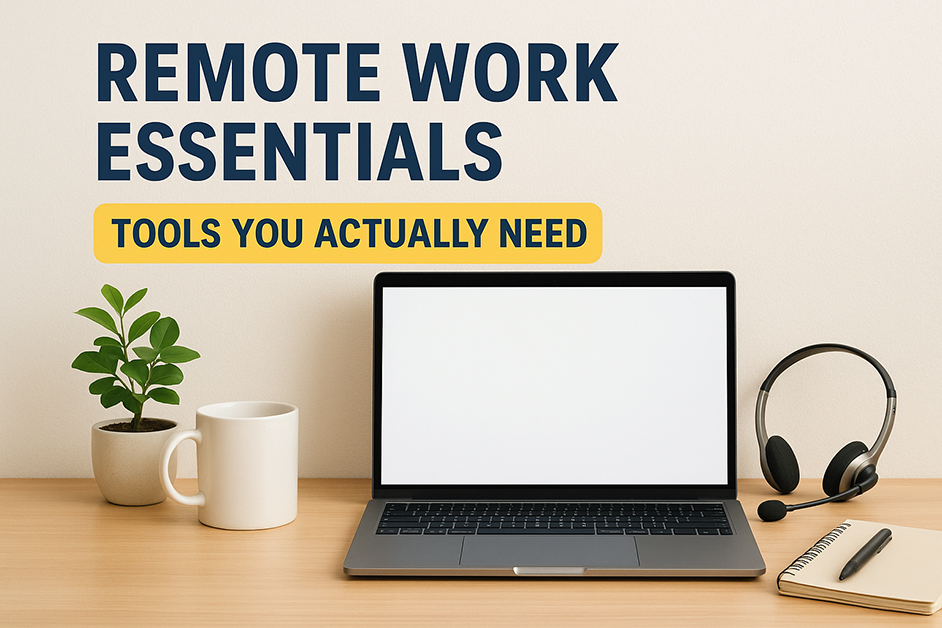
Remote Work Essentials: Tools You Actually Need

Work From Home Essentials
Share on social media:
Work From Home Essentials

Remote work has quickly become the new standard for many professionals. While a laptop and internet connection may be enough to get started, staying productive and secure requires the right set of tools. These essentials help remote workers stay efficient, organized, and connected no matter where they are.


1. A Reliable VPN (Virtual Private Network)

Security is a top priority in remote work. A VPN protects sensitive information on public Wi-Fi and allows access to region-restricted sites and tools.

Recommended: Surfshark VPN โ€“ affordable, user-friendly, and supports unlimited devices.


2. Task & Project Management Software

Managing multiple tasks and projects can be challenging without proper organization. Project management tools streamline workflows and keep deadlines on track.

Best Options:

  • Trello โ€“ Visual boards for simple task tracking.
  • ClickUp โ€“ All-in-one solution for tasks, docs, and time tracking.
  • Notion โ€“ Flexible for both personal organization and team collaboration.

3. Communication Tools

Clear and consistent communication is vital for remote teams. Modern communication apps make collaboration faster and more effective than email alone.

Top Picks:

  • Slack โ€“ Team messaging and integrations.
  • Zoom โ€“ Reliable video conferencing.
  • Google Meet โ€“ Seamless for Gmail and Google Workspace users.

4. Cloud Storage & File Sharing

Cloud storage ensures files are secure, accessible, and easy to share with colleagues worldwide.

Popular Choices:

  • Google Drive โ€“ Integrated with Docs, Sheets, and Slides.
  • Dropbox โ€“ Reliable syncing across devices.
  • OneDrive โ€“ Best for Microsoft Office users.

5. Time & Focus Tools

Remote work often comes with distractions. Time management and focus apps help professionals stay productive throughout the day.

Helpful Tools:

  • Forest โ€“ A focus timer with gamification.
  • RescueTime โ€“ Tracks productivity habits.
  • Pomofocus โ€“ A simple online Pomodoro timer.

6. Hardware Essentials

Digital tools are only part of the equation. The right hardware ensures comfort and professionalism in remote work setups.

  • Noise-canceling headphones โ€“ Reduce background distractions.
  • Ergonomic chair and desk โ€“ Support posture and prevent strain.
  • Webcam and microphone โ€“ Improve the quality of virtual meetings.

Final Thoughts

Remote work success depends on more than just an internet connection. By using the right combination of software, cloud storage, focus tools, and ergonomic hardware, professionals can maintain productivity, security, and well-being wherever they work.

Share on social media:

How to Acquire AI Skills: A Step-by-Step Guide

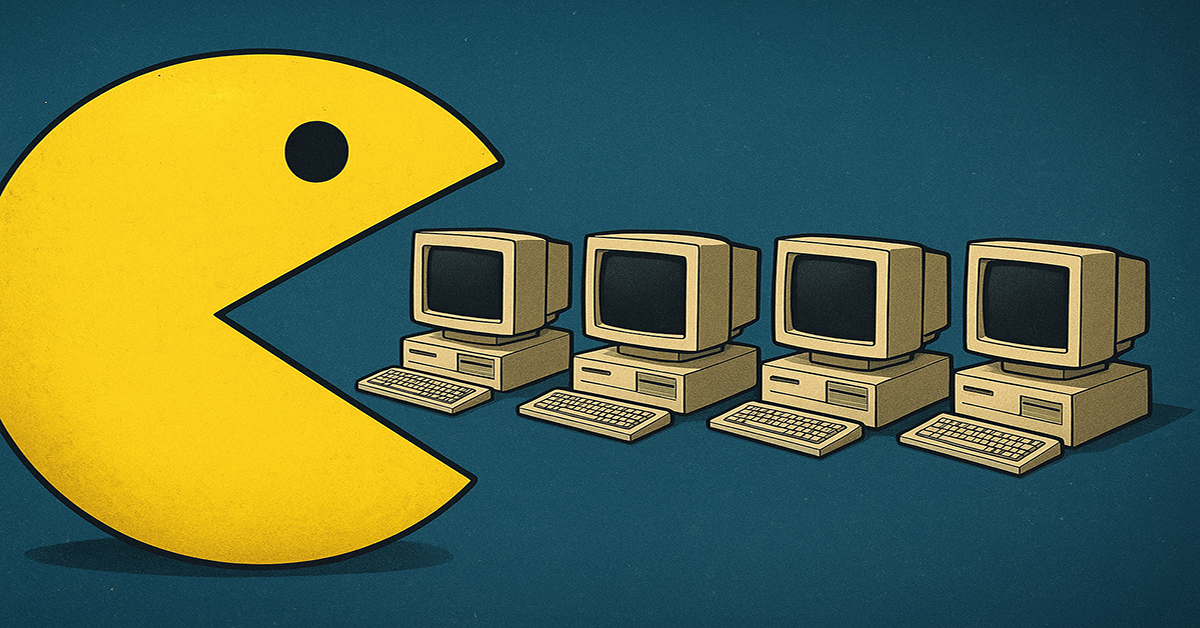
Pacman Eating Computers
Share on social media:
Pacman Eating Computers

Artificial Intelligence (AI) is no longer just a buzzwordโ€”itโ€™s a career catalyst, a business accelerator, and a must-have skill in todayโ€™s digital economy. Whether someone wants to stay competitive in the job market, start a side hustle, or simply understand the technology shaping the future, acquiring AI skills has never been more essential. Hereโ€™s a roadmap that makes the journey less overwhelming and more actionable.


1. Begin with Exploration, Not Equations

AI often feels intimidating because of its technical depth. But the first step is simple: explore AI tools. Platforms like ChatGPT, MidJourney, and Gemini allow anyone to experience AI in action without writing a single line of code. Curiosity opens the door, and skills follow naturally.


2. Learn the Fundamentals in Plain Language

Before diving into programming, it helps to grasp the basics:

  • Machine Learning (ML): Teaching computers to recognize patterns in data.
  • Neural Networks: Systems designed to mimic how the human brain processes information.
  • Generative AI: AI that creates new content, such as text, images, and music.

Short explainer videos and beginner-friendly online courses are great ways to build this foundation without technical overload.


3. Choose a Path That Matches Goals

AI isnโ€™t a one-size-fits-all field. Different professions can leverage AI in unique ways:

  • Writers & Marketers โ†’ Prompt engineering, AI content tools.
  • Designers โ†’ Generative design, AI image tools.
  • Entrepreneurs โ†’ Chatbots, process automation.
  • Data Enthusiasts โ†’ Python, ML libraries, data analysis.

Aligning AI learning with professional or personal goals keeps the process focused and practical.


4. Practice Through Small Projects

Theory matters, but skills grow faster with hands-on practice. Examples include:

  • Creating a simple chatbot for FAQs.
  • Using AI to analyze or summarize text and videos.
  • Training a beginner model to make predictions (like weather or sales trends).

Small projects build confidence and showcase practical applications.


5. Stay Ahead of the Curve

AI evolves rapidly. To stay relevant, follow AI news, subscribe to newsletters, join online communities, and participate in hackathons or workshops. Consistent exposure ensures that skills grow alongside the technology itself.


Final Thought

Acquiring AI skills doesnโ€™t require a PhDโ€”it requires curiosity, consistency, and creativity. By starting small, learning strategically, and applying knowledge in real-world scenarios, anyone can turn AI from a mystery into a powerful tool for growth.

Share on social media:

Top 7 Skills Employers Look for in 2025 (and How to Stand Out)

Girl Working On Her Laptop
Share on social media:
Girl Working On Her Laptop

The job market is constantly evolving, and staying competitive requires understanding the skills employers prioritize. In 2025, professionals who combine technical expertise with soft skills will have the greatest advantage. Here are the top seven skills that can help candidates stand out.

1. Digital Literacy and Technology Savvy

As technology continues to shape every industry, employers expect professionals to be comfortable with digital tools. This includes:

  • Productivity software (e.g., Microsoft 365, Google Workspace)
  • Collaboration tools (e.g., Slack, Zoom)
  • AI-powered platforms and automation tools

Being digitally fluent allows employees to work efficiently and adapt quickly to new systems.

2. Critical Thinking and Problem-Solving

AI and automation handle routine tasks, but human judgment remains essential. Employers value individuals who can:

  • Analyze complex challenges
  • Identify solutions that machines cannot
  • Make informed decisions in uncertain situations

These skills demonstrate an ability to think independently and add value beyond standard processes.

3. Adaptability and Flexibility

The workplace is changing faster than ever. Professionals who embrace change and adjust quickly are highly sought after. Key aspects include:

  • Learning new tools and workflows
  • Adapting to different team dynamics
  • Handling unexpected challenges with confidence

Adaptable employees can thrive in dynamic, fast-paced environments.

4. Communication and Interpersonal Skills

Clear communication and collaboration are vital in both remote and in-office settings. Employers look for candidates who can:

  • Convey ideas effectively in writing and speech
  • Collaborate with diverse teams
  • Resolve conflicts professionally

Strong interpersonal skills enhance teamwork and productivity.

5. Creativity and Innovation

Innovation drives business growth, and creativity is a skill that cannot be fully automated. Professionals who can:

  • Develop new approaches to problems
  • Generate creative solutions
  • Bring fresh ideas to projects

โ€ฆstand out as drivers of progress in their organizations.

6. Emotional Intelligence

Emotional intelligence (EQ) is increasingly valued in the modern workplace. High EQ enables professionals to:

  • Understand and manage their own emotions
  • Empathize with colleagues and clients
  • Foster positive team dynamics

Employers recognize that emotionally intelligent employees contribute to better workplace culture.

7. Continuous Learning and Self-Development

With industries evolving rapidly, lifelong learning is essential. Professionals can maintain a competitive edge by:

  • Pursuing certifications and training
  • Keeping up with industry trends
  • Actively seeking opportunities for growth

Continuous learning signals initiative and commitment to professional growth.


Conclusion

The skills that matter in 2025 go beyond technical knowledgeโ€”they include adaptability, creativity, and emotional intelligence. Professionals who develop these seven key skills position themselves to stand out to employers and thrive in a competitive job market. Staying proactive in skill-building is the key to career growth in the years ahead.

Share on social media:

Microsoft PowerToys: The Free Secret Tool That Tech Pros Donโ€™t Want You to Miss

Lovely And Beautiful Toys
Share on social media:
Lovely And Beautiful Toys

Have you ever wished your Windows computer could do just a little more? Not enough to justify buying fancy software, but enough to make you feel like a productivity wizard?

Hereโ€™s the secret: Microsoft PowerToysโ€”a free set of tools created by Microsoftโ€™s own developers. Itโ€™s like unlocking a hidden superpower mode for Windows. And yet, most people have never even heard of it.

Today, Iโ€™m going to show you why PowerToys might just be the most underrated app of 2025โ€”and why tech geeks around the world are buzzing about it.


What Exactly Is Microsoft PowerToys?

Think of PowerToys as a Swiss Army knife for Windows. Itโ€™s not one toolโ€”itโ€™s a whole collection of mini-utilities that turn your PC into a productivity powerhouse.

The best part? Itโ€™s completely free and officially supported by Microsoft.


The Features That Will Blow Your Mind

Here are some of the tools that are making PowerToys go viral among Windows users:

๐Ÿ”ฒ FancyZones โ€“ Multitasking Made Beautiful

Ever tried to juggle multiple windows on one screen? FancyZones lets you snap apps into custom layouts like a pro. Forget dragging and resizingโ€”just hit a shortcut and your screen transforms into a perfect grid.

๐Ÿ” PowerToys Run โ€“ Spotlight for Windows

Mac users brag about Spotlight search, but PowerToys gives you the same magic. Just hit Alt + Space, type what you need, and boomโ€”apps, files, even web searches appear instantly.

๐Ÿ–ผ๏ธ Image Resizer โ€“ Batch Magic

Right-click any image (or hundreds of them), and resize instantly. No Photoshop, no hassle. This one alone saves designers and office workers hours every week.

๐Ÿ“ Text Extractor โ€“ Copy Text from Anywhere

See text in an image or locked PDF? Just hit a shortcut, drag a box, and PowerToys copies the text for you. Itโ€™s like having OCR built into your computerโ€”for free.

๐ŸŽจ Color Picker โ€“ For Designers and Creators

Ever wanted to grab a color from your screen instantly? This built-in eyedropper tool works system-wide. Perfect for graphic designers, UI creators, or anyone who cares about aesthetics.

And thatโ€™s just scratching the surface. Other gems include a file renamer, keyboard remapper, awake mode (keep your PC from sleeping), and even a screen ruler.


Why PowerToys Is Going Viral

  1. Itโ€™s free. No subscriptions, no ads.
  2. It feels like cheating. Once you use it, you wonder how you lived without it.
  3. Itโ€™s community-driven. Microsoft built it for power users who demanded more control.
  4. Itโ€™s a productivity flex. Imagine showing your co-worker you can grab text from an image in two clicksโ€”theyโ€™ll think youโ€™re a hacker.

How to Get Microsoft PowerToys

  • Download it directly from GitHub or the Microsoft Store.
  • Install, open the settings, and enable the tools you want.
  • Thatโ€™s it. Youโ€™re officially part of the PowerToys club.

The Bottom Line

Microsoft PowerToys is like the secret menu at your favorite restaurantโ€”once you know about it, youโ€™ll never want to go back.

If youโ€™re reading this, consider yourself one of the lucky ones. Now, hereโ€™s the real question:

๐Ÿ‘‰ Are you ready to turn your ordinary PC into a productivity beast?


๐Ÿ”ฅ Pro tip: Share this with your friends before they discover it on TikTok and act like they found it first.

Share on social media:

Work-Life Balance Is Dead: Hereโ€™s What Replaces It in 2025

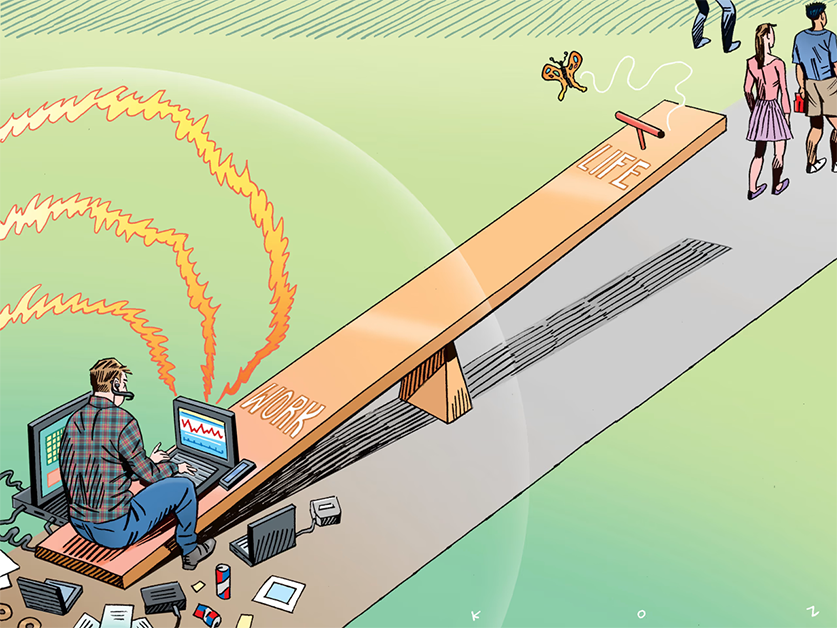
Seesaw
Share on social media:
Seesaw

For years, weโ€™ve been told to chase work-life balanceโ€”the magical state where career and personal life coexist in perfect harmony. But hereโ€™s the truth Iโ€™ve realized in 2025: work-life balance is dead. And honestly, itโ€™s not a bad thing.

The idea of balancing implies a constant tug-of-warโ€”eight hours for work, eight hours for life, and eight hours for rest. But modern work doesnโ€™t fit into neat boxes anymore. Remote jobs, AI tools, side hustles, and the blurred line between online and offline living have completely rewritten the rules.

So if work-life balance is gone, what replaces it?


1. Work-Life Integration

Instead of rigid schedules, people are blending work and life. That might mean taking a client call while on a walk, or finishing a report after dinner instead of cramming it into the afternoon. The focus shifts from when you work to how effectively you work.

๐Ÿ”‘ Takeaway: Stop obsessing over 9โ€“5 versus 5โ€“9. Find ways to weave work into life without losing yourself in it.


2. Energy Management, Not Time Management

You canโ€™t always control time, but you can control energy. The most successful professionals in 2025 are planning their toughest tasks during their โ€œpeak hoursโ€ and leaving admin or shallow work for when their energy dips.

๐Ÿ”‘ Takeaway: Protect your energy like itโ€™s your currencyโ€”it determines how productive and creative youโ€™ll be.


3. The Rise of the Life-First Mindset

The old system put work first, then fit life around it. Now, more people are choosing jobs, side hustles, or even AI-powered gigs that support the life they want to liveโ€”not the other way around.

๐Ÿ”‘ Takeaway: Ask yourself: Does my job support the life I want, or am I building my life around my job?


4. Micro-Breaks Over Vacations

In a fast-paced world, waiting all year for a two-week vacation doesnโ€™t cut it anymore. People are embracing micro-breaks: 15 minutes of meditation, a quick workout, or short digital detox moments throughout the day.

๐Ÿ”‘ Takeaway: Recovery isnโ€™t an annual eventโ€”itโ€™s a daily habit.


5. Purpose Over Paycheck

One of the biggest shifts replacing balance is meaning. Work no longer has to be separate from lifeโ€”it is part of life. And if it doesnโ€™t feel meaningful, people are more willing than ever to walk away.

๐Ÿ”‘ Takeaway: A fulfilling career isnโ€™t about balancingโ€”itโ€™s about aligning with what actually matters to you.


Final Thoughts

Work-life balance died because it was never sustainable in the first place. What weโ€™re building in 2025 is work-life alignmentโ€”a fluid system that adapts to who we are, how we work best, and what we value most.

The question is no longer: How do I balance work and life?
The new question is: How do I design work that supports the life I want to live?

Share on social media:

What Is Vibe Coding? The Trend Making Programming Feel Like Art

Guy coding happily
Share on social media:
Guy coding happily

Vibe coding is taking over TikTok, YouTube, and developer forums โ€” not as a new programming language or framework, but as a creative approach that blends code with atmosphere, mood, and flow.

Itโ€™s the practice of writing software in a flow state, where logic and creativity merge seamlessly, and the entire environment supports the process.


What Exactly Is Vibe Coding?

Vibe coding is the art of programming while being completely immersed in a specific mood or โ€œvibe.โ€
Instead of treating code purely as a technical task, vibe coding treats it as a creative performance โ€” with music, lighting, and workspace setup acting as part of the process.

Imagine a musician jamming in a studio or a painter working in a perfectly lit room. Vibe coding gives developers the same kind of immersive, aesthetic-driven experience.


The Core Elements of Vibe Coding

Successful vibe coding usually includes:

  1. The Soundtrack ๐ŸŽถ
    Lo-fi beats, synthwave, or instrumental movie scores help maintain rhythm and focus.
  2. The Workspace Aesthetic ๐Ÿ’ป
    Minimal clutter, ambient lighting, and a layout that sparks creativity.
  3. Flow-Friendly Goals โณ
    Tackling a single, engaging challenge rather than juggling multiple tasks.
  4. Mind-Body Alignment ๐Ÿง˜
    A comfortable posture, alert mind, and even a favorite drink to keep energy steady.
  5. Emotional Connection โค๏ธ
    Choosing projects that matter personally, making the work feel more meaningful.

Why Vibe Coding Is Going Viral

The rise of vibe coding reflects a shift in how people see programming.
Itโ€™s no longer just about speed or efficiency โ€” itโ€™s about making the process enjoyable and expressive.

With AI tools able to generate code instantly, human developers are doubling down on what machines canโ€™t replicate: the feeling of creation.
Vibe coding makes programming more than just problem-solving โ€” it turns it into an art form.


How to Experience Vibe Coding

  • Pick a project driven by curiosity, not deadlines.
  • Create an environment with music, lighting, and visuals that inspire focus.
  • Remove distractions to stay locked in the flow.
  • Share the setup and progress on social media to connect with other vibe coders.

The Future of Coding Culture

Vibe coding is more than a passing trend. Itโ€™s a reminder that creativity and technology go hand in hand.
As more people discover the balance between atmosphere and logic, coding sessions may start looking less like work and more like jam sessions.

Share on social media:

Email Zero: Win Back 5 Hours Every Week

Man Checking His Email
Share on social media:
Man Checking His Email

I Used to Dread My Inbox โ€” Until I Discovered Email Zero

My inbox used to be a battlefieldโ€”hundreds of unread messages, lost follow-ups, and constant โ€œSorry for the late replyโ€ moments. Checking emails felt like playing whack-a-mole. Then I found a system so simple, it transformed my workday and gave me back hours of my week: Email Zero.


What is Email Zero?

Email Zero means having no pending, unread, or cluttered emails in your inbox. It doesnโ€™t mean you have no emailsโ€”it means you process and clear them quickly so your inbox becomes a tool, not a to-do list.


Why It Saves You 5+ Hours a Week

According to productivity studies, the average worker spends over 28% of their workweek managing email. Thatโ€™s more than a full workday lost! By processing emails in batches and removing clutter, you save hours you can spend on actual work (or on a guilt-free coffee break).


The 3-Step Email Zero Process

1. Delete โ€“ Unsubscribe from junk and remove non-essential emails immediately.
2. Delegate โ€“ Forward tasks to the right people instead of holding onto them.
3. Do โ€“ If it takes less than 5 minutes, respond now and archive it.

๐Ÿ’ก Tip: Donโ€™t let emails โ€œsit.โ€ Every message is either trash, delegated, or done.


The Philippine Workplace Twist

Here in the Philippines, workplace communication often means emails + group chats. After hitting Email Zero, apply the same concept to Viber or Messenger work chats:

  • Mute irrelevant threads.
  • Pin important conversations.
  • Use labels or starred messages for quick recall.

Tools to Make Email Zero Easier

  • Gmail Filters โ€“ Automatically label and sort messages.
  • Boomerang / FollowUpThen โ€“ Schedule follow-up reminders.
  • AI Email Summaries โ€“ Let tools summarize long threads so you decide faster.

Bonus: 5-Minute Daily Maintenance

  • Open inbox 2โ€“3 times a day only (morning, lunch, before logging off).
  • Apply the Delete โ†’ Delegate โ†’ Do rule.
  • Archive everything after responding.

Bottom Line:
Email Zero isnโ€™t about checking lessโ€”itโ€™s about checking smarter. Once you control your inbox, you control your time. And time is the most valuable work resource you have.

Share on social media:

Notepad Just Got Smarter: Markdown Support Arrives (May 30, 2025)

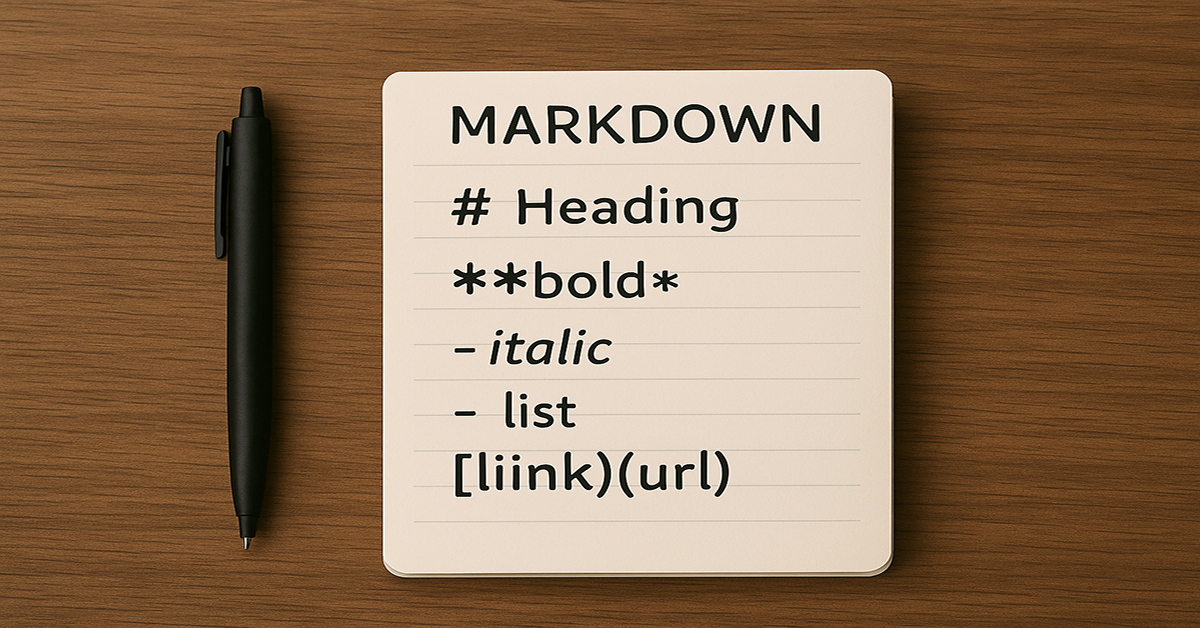
Markdown Instructions On Wooden Desk
Share on social media:
Markdown Instructions On Wooden Desk

Notepad, the iconic text editor bundled with Windows since 1983, has just received one of its biggest upgrades in decadesโ€”Markdown support. Known for its simplicity and lightweight performance, Notepad is now stepping into the modern productivity era with built-in formatting capabilities that appeal to both casual users and professionals.


The Big Change

On May 30, 2025, Microsoft began rolling out Markdown support and rich text formatting to Windows Insiders in the Dev and Canary channels. Just a month later, on July 2, 2025, the update became available to all Windows 11 users via the Microsoft Store.

This new feature introduces a formatting toolbar and live preview support for Markdown, eliminating the need for third-party applications for basic structured writing.


Why This Matters

Markdown is a lightweight markup language that makes formatting text fast and intuitive. With Notepad now supporting it natively, users can:

  • Format text with bold, italic, and strikethrough
  • Create headings (H1โ€“H6)
  • Build bullet and numbered lists
  • Add hyperlinks with a simple shortcut (Ctrl + K)
  • Switch between raw Markdown view and a live preview

This enhancement transforms Notepad from a plain text utility into a versatile writing and documentation tool.


The Benefits for Different Users

  • Bloggers and writers โ€“ Draft posts with clean formatting in a distraction-free environment
  • Students โ€“ Organize lecture notes with headers and bullet points
  • Developers โ€“ Quickly create README files and documentation without leaving the native editor
  • Everyday users โ€“ Format shopping lists, to-do notes, and memos without extra software

Availability and How to Get It

  • Windows Insiders: Available in Notepad version 11.2504.50.0 or later in the Dev, Canary, Beta, and Release Preview channels.
  • All Windows 11 users: Update Notepad through the Microsoft Store to access Markdown support as of July 2, 2025.

A Small Change with Big Impact

By integrating Markdown, Microsoft has modernized Notepad without sacrificing its minimalistic design. This update bridges the gap between a basic note-taker and a lightweight formatting tool, offering powerful functionality while keeping the app familiar and fast.

Notepadโ€™s Markdown support is a reminder that even the simplest tools can evolve to meet todayโ€™s productivity needsโ€”proving that sometimes the most impactful upgrades are also the most unexpected.

Share on social media:

Top 10 Soft Skills for 2025: Thriving in the Age of AI

Soft Fluffy Pillow
Share on social media:
Soft Fluffy Pillow

As artificial intelligence (AI) reshapes industries, the demand for human-centric skills is more critical than ever. While technical proficiency is important, soft skills set professionals apart in a rapidly evolving workplace. Here are the top 10 soft skills youโ€™ll need to stay competitive in 2025 and beyond.

1. Emotional Intelligence (EQ)

AI can analyze data, but it cannot replicate human empathy and emotional awareness. High EQ helps in managing relationships, navigating workplace dynamics, and making informed decisions.

2. Adaptability & Resilience

The workplace is changing at an unprecedented rate. Those who quickly adapt to new technologies, workflows, and business models will thrive.

3. Critical Thinking & Problem-Solving

AI can process vast amounts of data, but humans must interpret insights, challenge assumptions, and solve complex problems creatively.

4. Communication & Active Listening

Clear communication is vital, whether youโ€™re leading a team or collaborating with AI-driven systems. Active listening fosters better understanding and teamwork.

5. Creativity & Innovation

AI can optimize efficiency, but human creativity drives innovation. The ability to think outside the box will be invaluable in crafting new solutions and strategies.

6. Leadership & Influence

Even in an AI-driven world, strong leadership is essential. Motivating teams, making strategic decisions, and guiding businesses through change require human touch.

7. Collaboration & Teamwork

With remote and hybrid work becoming the norm, professionals must effectively collaborate across digital platforms and with diverse, cross-functional teams.

8. Digital Literacy & AI Awareness

Understanding AIโ€™s capabilities and limitations allows individuals to work seamlessly with technology rather than being replaced by it.

9. Time Management & Productivity

Balancing tasks efficiently, prioritizing responsibilities, and leveraging AI tools to optimize workflow will be key skills for success.

10. Ethical Judgment & Decision-Making

As AI plays a larger role in decision-making, ethical considerations become crucial. Professionals must uphold integrity, fairness, and accountability in an AI-driven world.

Final Thoughts

In the age of AI, soft skills define human value in the workplace. By developing these ten skills, professionals can future-proof their careers, maintain a competitive edge, and complement AI rather than compete with it.

Share on social media: